RightHand AI Companion Edition
A calm, patient way to set up your own AI assistant, one lesson at a time.
Ten plain-language lessons, plus a bonus, walk you through setting up Claude for everyday life: notes in your own voice, meal plans and holiday visits, spotting scam messages, and more. Go at your own pace, with a real person to ask when you get stuck.
$87, one time. No subscription for the course, and no expiry.
You will also need a paid Claude plan (Claude Pro or higher), which you buy from Anthropic. See “Do I need a paid Claude plan?” below.
Enroll for $87Secure checkout by Stripe. You can add the Printable Workbook ($27) at checkout.
All sales are final, with a few exceptions. See “Can I get a refund?” below.
Launch offer: use code COMPANION30 at checkout for 30% off the course, $60.90 instead of $87. Ends Tuesday, December 15, 2026, at 11:59 PM Central. Applies to the course only.
Already enrolled? Sign in
Made for people who are new to AI
Companion Edition is a good fit if:
- You are new to AI, or you tried it once and were not sure what to do next.
- You would like a calm, patient start: plain words, large type, one idea at a time.
- You want help with everyday life: letters and notes that sound like you, meal plans and grocery lists, holiday visits, home projects, and spotting scam messages.
- You would rather build steadily, one lesson at a time, than cram it all into one sitting.
It may not be the right fit if:
- You want technical depth or tools for developers.
- You want AI help for a business team. RightHand AI Business Services can help with that.
- You already use Claude with confidence and just want ready-made prompts. Claude Unlocked, our $39.99 PDF guide for self-starters, is made for that.
What you will learn
Each lesson builds on the one before. By the end, Claude knows the basics about you, writes in your voice, and helps with the everyday things you choose.
- Lesson 1: Setting Up Your SpaceYour Claude account with your privacy setting checked and Memory turned on, the Claude Desktop app, a Project with its own folder on your computer, and a starting AI Confidence Check score.
- Lesson 2: Meet Claude: Ask, Answer, CheckFour simple habits for asking well, the habit of checking every answer before you act on it, and a Prompt Builder that writes a full prompt from one line.
- Lesson 3: Tell Claude About YouA short file about you, built from your answers to five easy questions, so answers fit your life. You decide what goes in, and you can change it any time.
- Lesson 4: Teach Claude Your VoiceA file built from your own writing, so the messages Claude drafts sound like you. You read every draft, and you are the one who sends it.
- Lesson 5: Everyday HelpA simple green, yellow and red way to decide what is safe to share, a file about your household, and one real update turned into a message and a reminder note.
- Lesson 6: Staying SafeFive warning signs of a scam, one golden rule for when something feels wrong, a message that asks Claude for a second opinion, and a Stay Safe Card to print and keep by your phone.
- Lesson 7: Planning AheadThree plans saved where you can open, print and change them: a week of meals with a grocery list, a holiday visit, and a home project.
- Lesson 8: Keep Getting BetterFour plain phrases for when an answer is close but not quite right, so one short reply fixes it, with no starting over.
- Lesson 9: Save What WorksYour first Skill: a routine Claude saves, so you can call it by name instead of explaining it again.
- Lesson 10: Keep It WorkingA Skill that keeps your files up to date when life changes, an Assistant at a Glance page that shows where everything lives, a Skill of your own, your own Prompt Library file, and your new AI Confidence Check score to compare with your first.
- Bonus Lesson 11 (Optional): Appointments and RemindersConnect Google Calendar so Claude can add appointments for you, keep a private list of your providers, and, if you like, a medicine list, a large-print daily schedule and a Staying in Touch list. Includes a clear way to undo everything. Needs a free Google account.
Claude is not your doctor, pharmacist, lawyer or accountant. The lessons help you keep your information in order and tell you when to check with a professional.
What you get
All of this for $87, one time.
How it works
Enroll
Click Enroll and pay on the secure Stripe checkout. Add the Printable Workbook there if you want it.
Watch for your email
Within a few minutes, an email arrives from support@ussentechnologies.com with your personal sign-in code. The subject line is “Welcome to Companion Edition: your sign-in code.” If you do not see it, check your spam folder.
Sign in
Go to learn.righthandai.io/companion, type your email and your code, and press Sign in. Capital or small letters both work.
Start Lesson 1
It is waiting for you. If you bought the workbook, it arrives in its own email, “Your Companion Edition Printable Workbook.”
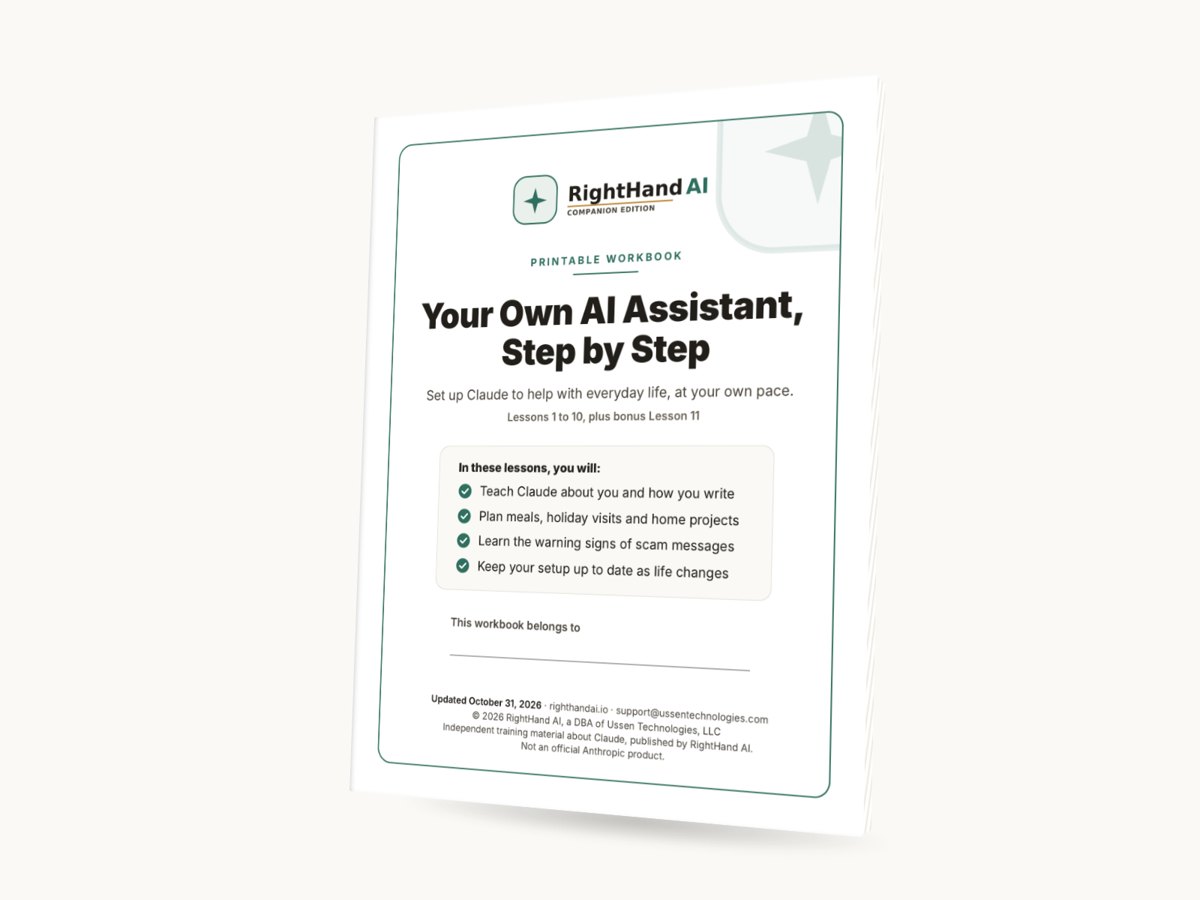
Like to learn on paper? Add the Printable Workbook
$27, optional. Add it at checkout.
The workbook is your paper copy of every lesson, in order. Read it away from the screen, make notes in the margins, and tick off each step with a pen. Every prompt is printed in its own box, and the pictures show what your screen should look like.
It arrives as a PDF in its own email from support@ussentechnologies.com. Print it at home on standard US Letter paper. It is 157 pages, so you may like to print one lesson at a time. The online lessons are still where you do the work; the workbook keeps it all in front of you.
Your safety and privacy come first
- You decide what to share. The course shows you, step by step, what is fine to tell Claude and what to leave out.
- We never ask for passwords or ID numbers.
- Your sign-in code is stored in protected form on the learning page.
- You pay Anthropic for your Claude plan directly. We do not sell it, and we do not see that payment.
- Scam awareness is built in. Lesson 6 teaches five warning signs and one golden rule, and you print a Stay Safe Card to keep by your phone.
Read our Privacy Policy.
Questions
Is it hard? I am not technical.
It is made for people who are new to this. Each lesson uses plain words, large type and one idea at a time, and shows you where to click. Copy buttons mean you never have to retype a prompt. Take a break whenever you like; your progress is saved.
Do I need a paid Claude plan?
Yes. The course needs Claude Pro or a higher plan. You buy it from Anthropic, the company that makes Claude, and it is billed every month until you cancel. Lesson 1 shows you how to choose it. Check Anthropic’s plans page for the current price.
What kind of computer do I need?
A Windows or Mac computer where you can install the Claude Desktop app. The lessons set up a folder on that computer, and Claude can only reach it from the Desktop app, so a phone or tablet is not enough for the lessons. The pictures show Windows; Mac steps are written out in words.
How long does it take?
It is self-paced, with no expiry. Learn when it suits you, and take as many breaks as you like.
What if I get stuck?
Reply to your welcome email, or write to support@ussentechnologies.com and tell us which lesson and step you were on. A real person will answer. The learning page also has a Help page.
Is my information safe?
The course teaches you what to share with Claude and what to leave out, and it never asks for passwords or ID numbers. Your sign-in code is stored in protected form on the learning page. Read our Privacy Policy for the details.
Do I need the Printable Workbook?
No. Everything you need is in the online lessons. The workbook is an optional $27 paper copy for people who like to read and make notes on paper.
How do I use the launch code?
Type COMPANION30 in the promotion code box at checkout. It takes 30% off the course, so you pay $60.90. It ends Tuesday, December 15, 2026, at 11:59 PM Central, and applies to the course only.
Can I buy it for someone else?
Not at the moment. Your sign-in code goes to the email you use at checkout, and that email is how you sign in, so the person who enrolls is the person who learns. You are welcome to share this page with anyone who might like it.
Can I get a refund?
Because the course is digital and you can start right away, all sales are final. That includes the Printable Workbook. We will consider a refund if you were charged twice for the same purchase, if a problem on our side keeps you from getting into the course and we cannot fix it, or if we made a billing mistake. Write to support@ussentechnologies.com within 14 days of your purchase and tell us what happened. You can read the full policy in our Terms of Service & Refund Policy.
And if you are simply stuck, write to us first. A real person will help you get going.
How is this different from Claude Unlocked?
They are different products. Claude Unlocked is a $39.99 PDF guide of ready-to-use prompts for people who are already comfortable getting started on their own. Companion Edition is a guided course: lessons, a learning page that saves your progress, a Prompt Library, a certificate when you finish, and a real person to ask.
Is this made by Anthropic?
No. Companion Edition is independent training material about Claude, published by RightHand AI. It is not an official Anthropic product.
Ready when you are
Start with Lesson 1 today and go at your own pace. Your progress is saved, your access does not expire, and a real person is there when you need help.
Enroll for $87Use code COMPANION30 for 30% off the course until Tuesday, December 15, 2026.
Already enrolled? Sign in